Your UTampa degree, planned all the way to graduation.
Send us your two Workday progress reports and we build your plan: Spartan Studies, your major and any minors, and study abroad, semester by semester. Then build schedules from a Workday class search, keep backup plans in case a class fills, see your week, and track your grades.
What your UTampa plan covers
- Spartan Studies, UTampa's general education
- Every major, concentration and minor you've declared
- Study abroad semesters and transfer credit
- Prerequisites, so classes land in the right order
Programs ready now
+ 4 more
Major not on the list? No worries. When you order, pick Not listed and type it in. We'll build it from UTampa's current catalog.
Click through a sample plan
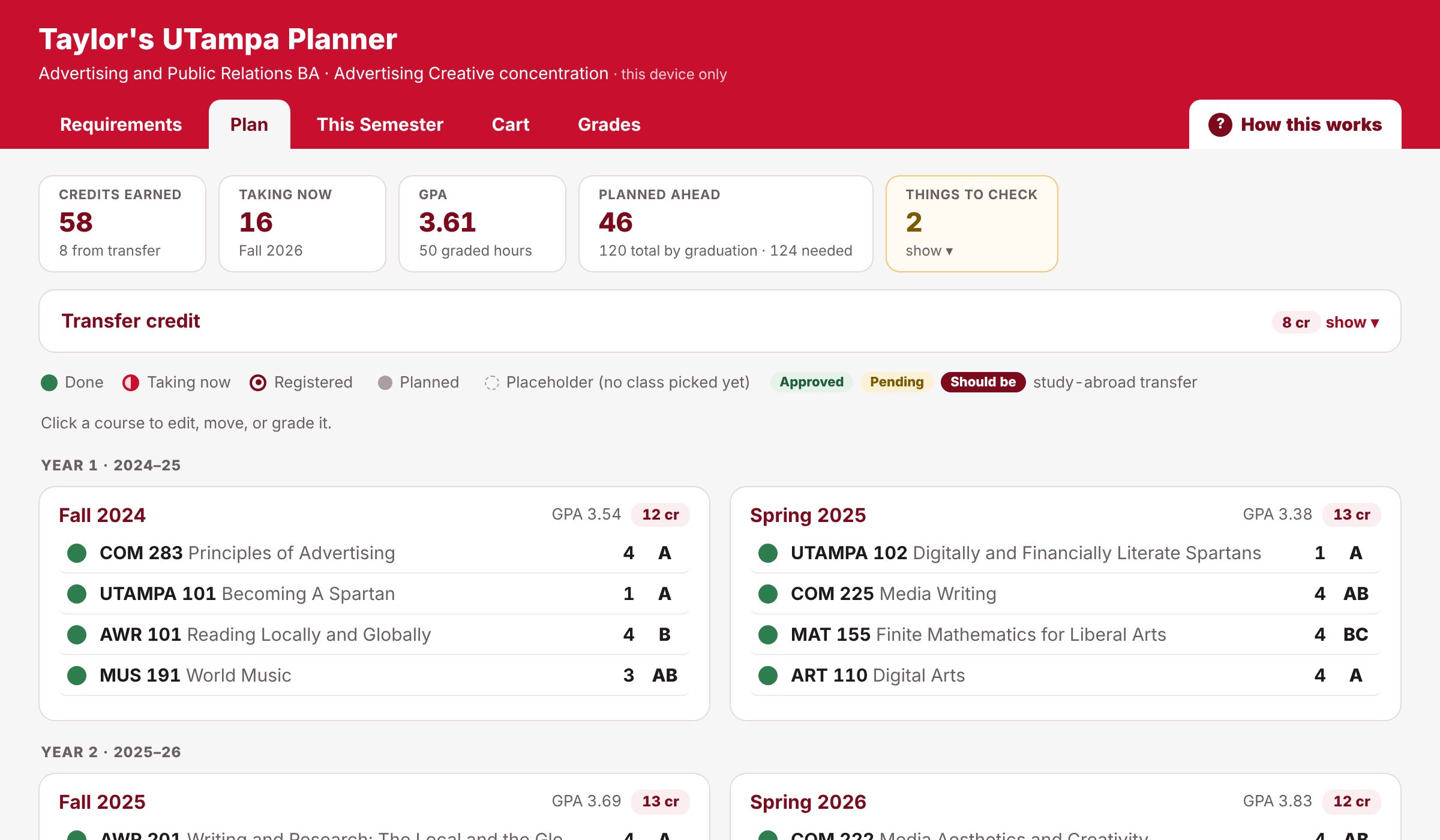
Taylor is a made-up UTampa student, an Advertising and Public Relations B.A. with a semester abroad. Move classes around, check requirements, see a week of classes, and try a different program. No sign-up.
Three steps
- In Workday, hover over Student and click Academic Progress.
- Click View My Academic Progress, then click PDF at the top right and download it.
- Do the same for View My Academic Progress - Details.
- Upload both PDFs when you order, or after you sign in.
We only use the reports to read your classes and requirements, and delete them once your plan is built.
- In Workday, open Plan My Registration and search a subject (like COM) or a class.
- Select everything on the page (Ctrl+A or Cmd+A), copy it, and choose Paste from Workday in your plan's Cart tab.
- Tick the classes you want. Your planner builds schedules with no time clashes and lists the exact sections to add to your saved schedule.
Keep backups as Plan B and Plan C. If a section says Open and then waitlists you, switch to your next plan.
- After you register, and again after final grades post, download fresh copies of both reports (step 1).
- In your plan, open My Account and choose Send a new degree audit.
- We mark what's done, fix anything that changed, and update your plan. Updates are included.
Added or changed a major or minor? Tell us when you send it.
One plan, one price
Each plan is built by hand from your Workday reports and UTampa's catalog. Less than one textbook, and a lot cheaper than an extra semester.
Your plan within 3 business days, often sooner.
- Your plan built from your Workday reports
- Spartan Studies plus every major and minor you've declared
- Your own private link
- Schedule builder for each registration
- Mark classes done yourself, anytime